


Choosing the best AI image generator has become essential for anyone creating visual content—whether you’re a marketer, designer, or small business owner looking to produce stunning images in seconds. Today’s AI image generator tools can turn simple text prompts into realistic photos, artwork, product images, and social media visuals with incredible accuracy. But with so many AI image makers available, knowing which one offers the best quality, speed, and creative control can feel overwhelming.
This guide breaks down the top AI image generation tools, compares their strengths, and helps you find the right option for your needs. Whether you want photorealistic images, artistic styles, or a free AI tool to experiment with, you’ll discover everything you need to choose the best AI image generator for your projects.
What Is an AI Image Generator?
An AI image generator is a tool that creates visual content from text prompts, reference images, or enhancement inputs using advanced machine learning models. Instead of manually designing visuals, you describe what you want—and the AI transforms that description into a high-quality image. These tools rely on deep learning systems like diffusion models, which analyze billions of image–text pairs to understand objects, styles, lighting, and composition.
How AI Image Generators Create Visual Content
AI follows a simple process:
- Interprets your prompt to understand context and style.
- Builds a noise-filled image as the starting point.
- Gradually refines the noise using a diffusion model until a clear image appears..
Text-to-Image vs. Image-to-Image vs. Enhancement Tools
- Text-to-Image: Converts written prompts into new visuals (e.g., Midjourney, DALL·E 3).
- Image-to-Image: Transforms existing images by changing style, mood, or details while keeping the structure intact.
- Enhancement Tools: Improve image quality through upscaling, background removal, color correction, or restoring details.
The Rapid Evolution of AI Image Generation
AI image creation has grown quickly—from Stable Diffusion, which made open-source image generation accessible, to Midjourney, known for artistic realism. Then came DALL·E 3 with stronger prompt accuracy, followed by breakthroughs like Runway Gen-2 for video and Sora, which pushes boundaries with cinematic, photorealistic visuals.
Why AI Image Generators Matter Today (Use Cases & Benefits)
AI image generators have become essential tools for modern creators, brands, and businesses because they make high-quality visuals faster, cheaper, and far more accessible. Whether you're building a brand identity or producing daily content, these tools simplify the entire creative process without requiring professional design skills.
Content Creation for Businesses
Businesses now rely on AI-generated visuals for blogs, ads, presentations, and websites. Instead of outsourcing design or waiting days for revisions, teams can produce on-brand images instantly, improving productivity and lowering content creation costs.
Marketing, eCommerce, and Branding
Marketing teams use AI visuals to test creative ideas, generate campaign assets, and build brand personas. In the eCommerce business, AI helps create polished product mockups and lifestyle visuals—valuable for merchants using platforms like Spocket to source products and build attractive online storefronts.
Social Media Creatives
AI tools help creators design scroll-stopping posts, thumbnails, stories, and ads in minutes. With customizable styles and templates, brands can publish consistent visuals across platforms without hiring a designer.
Product Photography Alternatives
For online sellers, AI has become a cost-effective replacement for traditional product shoots. You can generate studio-quality product images, lifestyle scenarios, and backgrounds instantly. Tools like Smartli support this workflow by helping sellers create clean, engaging visuals that boost conversions—especially on dropshipping platforms like Spocket where product presentation is crucial.
Accessibility for Non-Designers
Perhaps the biggest benefit is accessibility. AI image generators empower anyone—marketers, solopreneurs, creators, or beginners—to produce professional visuals. With easy prompts and intuitive interfaces, design becomes less technical and more creative, making visual storytelling available to everyone.
The Best AI Image Generators in 2026
Below are the top AI image generators of the year, reviewed in-depth with features, pros, cons, pricing, and best-use recommendations.
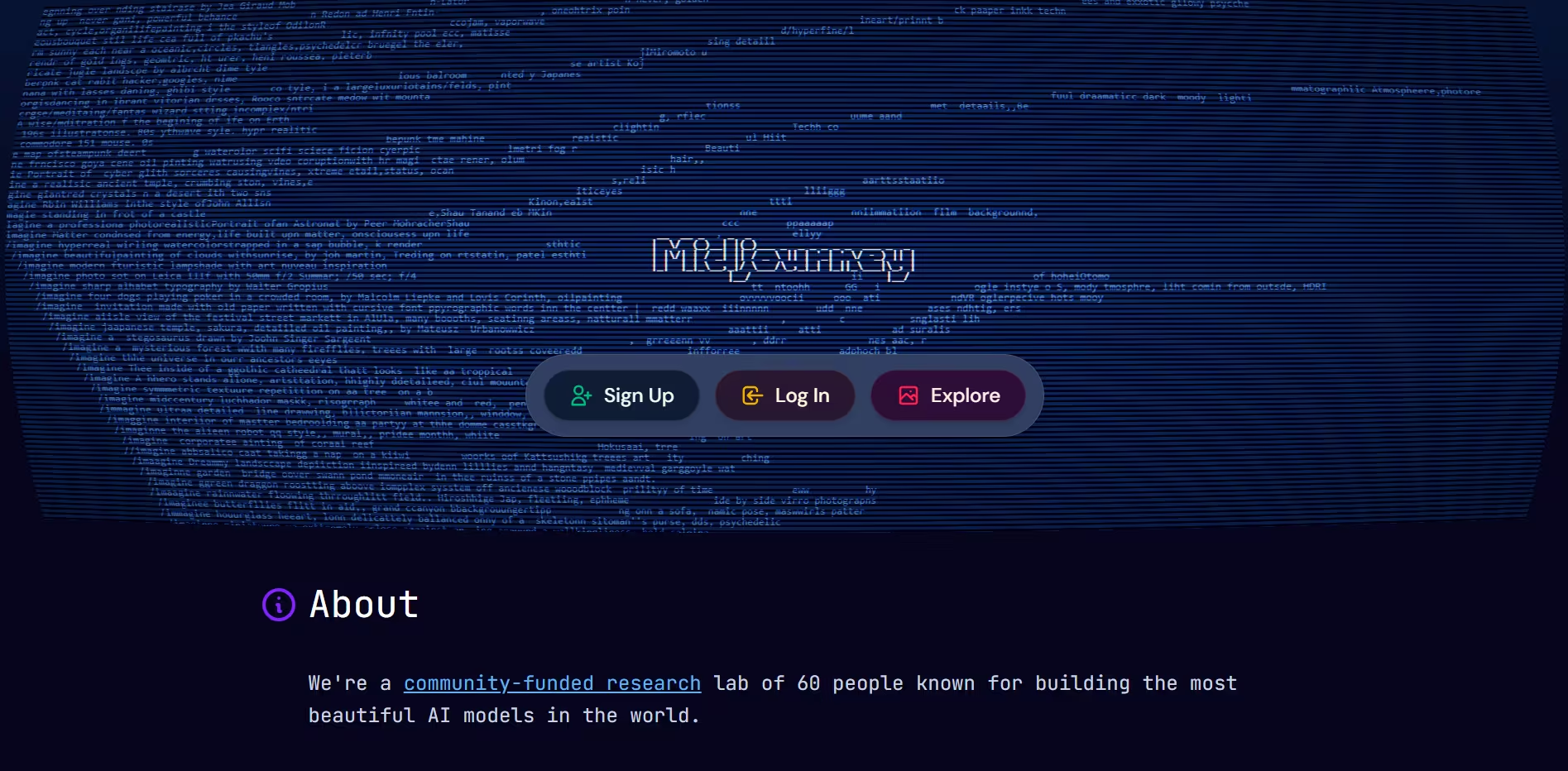
1. Midjourney — Best for Realistic Artistic Visuals
Midjourney is one of the most popular AI image generators, known for producing highly artistic, cinematic visuals. Launched in 2022, it quickly became a favorite among designers and creators for its richly detailed and stylized output.
Key Features
- Transforms text prompts into detailed, art-driven images
- Generates multiple variations per prompt for refining
- “Vary (Region)” and remix tools for localized edits
- High-resolution upscaling with strong texture and lighting control
Pros
- Exceptional artistic and conceptual imagery
- Highly creative outputs unmatched by most tools
- Mature community with strong prompt-sharing culture
Cons
- No free tier
- Less suited for photorealistic product photography
- Limited workflow integrations and no public API
Best For
- Artists, designers, and branding professionals
- Editorial, conceptual, or stylized visuals
- Creative marketing campaigns needing unique visuals
2. OpenAI DALL·E 3 — Best for Natural Language Understanding
DALL·E 3 is OpenAI’s most advanced image generator to date, known for its unmatched prompt accuracy and balanced output. It excels in converting detailed text descriptions into faithful, high-quality visuals.

Key Features
- Industry-leading natural language understanding
- Clean, balanced styles suitable for multiple industries
- Strong ability to handle specific details in prompts
- Reliable for both simple and complex image requests
Pros
- Extremely accurate prompt interpretation
- Easy for beginners—minimal prompt engineering required
- Consistent results across various visual styles
Cons
- Not as artistic or stylized as Midjourney
- May require a paid plan for high-volume usage
- Less flexible for heavily stylized art or surreal concepts
Best For
- Marketers, small businesses, and bloggers
- General-purpose image creation
- Users who want accuracy and quick results without learning curve
3. Google Nano Banana (Gemini Image Model) — Best for Studio-Quality, Commercial Images
Nano Banana Pro—Google’s 2025-generation image model—is built for commercial-grade content creation. It produces ultra-realistic visuals, offers advanced editing tools, and integrates seamlessly into professional workflows.

Key Features
- High-resolution, photorealistic image generation (up to 4K)
- Precise editing: lighting, shadows, reflections, perspective, and text
- Supports blending multiple images into one composition
- Exceptional text rendering for posters, ads, labels, and UI designs
Pros
- Industry-leading realism—ideal for eCommerce and advertising
- Robust editing tools that go beyond simple image generation
- Reliable text placement and typography handling
- Strong fit for professional creative workflows
Cons
- Free plan has strict generation limits
- Learning curve is higher due to advanced features
- Focus on realism may not suit artistic, fantasy-style visuals
Best For
- eCommerce stores, product designers, and advertisers
- Creators needing commercial-ready output
- Visual content requiring accurate text, labels, posters, or product packaging
4. Adobe Firefly — Best for Commercial-Safe Images
Adobe Firefly is Adobe’s flagship AI image generator, designed specifically for commercial-safe content. It integrates seamlessly with Creative Cloud apps like Photoshop and Illustrator, giving brands and designers confidence that generated visuals are licensed for business use.

Key Features
- Commercial-safe image generation with responsibly sourced training data
- Generative Fill, enabling users to add, remove, or extend elements in an image
- Wide style variations ranging from photorealistic to artistic
- Native integration with Photoshop, Illustrator, Express, and Lightroom
Pros
- Zero copyright worries — ideal for marketing and brand assets
- Industry-leading editing tools thanks to Adobe’s professional ecosystem
- Fast, intuitive, and accessible for both designers and non-designers
Cons
- Resolution and realism may lag behind models like Midjourney or Nano Banana
- Requires a Creative Cloud subscription for full-feature access
- Not open-source; customization is limited
Best For
- Brands that need guaranteed commercial-safe visuals
- Designers working in Photoshop or Illustrator
- Marketing teams that want editable creatives with professional polish
5. Stable Diffusion / SDXL — Best for Open-Source Customization
Stable Diffusion and SDXL are open-source image generation models that offer unmatched flexibility. They can run locally on your PC or server, making them ideal for developers, AI enthusiasts, and businesses that need full control over their outputs.

Key Features
- Open-source architecture allowing complete modification
- Supports fine-tuning with custom datasets
- LoRA (Low-Rank Adaptation) models for quick style, character, or brand-specific outputs
- Can run offline, ensuring privacy and full autonomy
- Community-driven ecosystem with endless model variations
Pros
- Fully customizable — perfect for brand-specific image styles
- No recurring subscription fees when run locally
- Maximum control over privacy and usage rights
- Huge community offering plugins, models, and extensions
Cons
- Requires technical setup and a decent GPU
- Result quality depends heavily on model selection and fine-tuning
- Workflow can be slower and less intuitive than cloud-based tools
Best For
- Developers and AI researchers
- Companies needing private, on-premise generative systems
- Advanced creators wanting personalized models via LoRAs
6. Canva AI Image Generator — Best for Beginners & Marketers
Canva’s AI Image Generator brings powerful image creation to one of the world’s most user-friendly design platforms. It offers a simple interface, built-in templates, and drag-and-drop editing—perfect for non-designers and marketing teams.

Key Features
- Text-to-image generation inside Canva’s design editor
- Thousands of built-in templates for ads, posts, flyers, thumbnails, and product visuals
- Easy drag-and-drop editing
- Instant publishing to social media, websites, or presentations
- Background removal, image enhancement, and one-click resizing
Pros
- Extremely beginner-friendly
- Excellent for marketing teams and social media creators
- No need to switch between tools—creation, editing, and publishing happen in one place
- Fast results suitable for day-to-day content production
Cons
- Image quality is good but not as advanced as Midjourney, DALL·E 3, or Nano Banana
- Limited customization for highly stylized or technical prompts
- Commercial usage rights vary depending on subscription plan
Best For
- Beginners, social media managers, and small businesses
- Quick marketing assets, presentations, and ad creatives
- Users who want effortless design workflows with minimal learning curve
7. Bing Image Creator — Best Free AI Image Generator
Bing Image Creator, powered by OpenAI’s models, remains one of the best truly free AI image generators available. It offers high-quality image creation without requiring a subscription, making it ideal for casual users, students, and small creators.

Key Features
- Generates high-quality images using OpenAI technology
- Completely free to use with daily boosts
- Simple, beginner-friendly interface
- Integrated directly inside Bing, Microsoft Edge, and Copilot
Pros
- 100% free with generous daily credits
- Great prompt accuracy thanks to OpenAI’s models
- No software installation required
- Perfect for quick, everyday image generation
Cons
- Free credits can run out quickly for heavy users
- Lacks the advanced editing tools found in premium platforms
- Output resolution may be lower compared to paid AI systems
Best For
- Casual creators and hobbyists
- Students, teachers, and bloggers
- Users who need quick images without subscriptions
8. Leonardo AI — Best for Creative Control & Model Customization
Leonardo AI is a powerful platform designed for creators who want deep control over styles, textures, and output quality. Known for its flexible models and training capabilities, it strikes the perfect balance between ease of use and creative complexity.

Key Features
- Multiple image models for realism, anime, 3D, concept art, and more
- Fine-tuning tools to train custom models for brands or characters
- Texture and asset generation for game designers
- Canvas editor for overpainting, inpainting, and detail adjustments
Pros
- Highly versatile for both beginners and advanced creators
- Great for stylized art (anime, game assets, fantasy work)
- Excellent customization—rare among no-code tools
- Fast rendering and high output quality
Cons
- Free plan is limited
- Can feel overwhelming due to many model options
- Commercial licensing depends on plan tier
Best For
- Artists, illustrators, and game designers
- Brands needing consistent character or style outputs
- Creators wanting to train custom AI models
9. Runway Gen-2 — Best for AI Video + Image Creation
Runway Gen-2 is one of the most advanced AI tools for generating both images and video. Unlike typical AI image generators, Runway focuses heavily on motion, making it a leading platform for filmmakers, advertisers, and content creators.

Key Features
- Text-to-video and image-to-video generation
- Motion brush for animating specific areas in a still image
- Green-screen, rotoscoping, and advanced video editing tools
- High-quality AI-generated cinematics
Pros
- Industry-leading video generation capabilities
- Allows creators to animate still images into dynamic scenes
- Suitable for filmmaking, advertising, and social media content
- Strong editing suite in one platform
Cons
- Higher cost compared to image-only platforms
- Requires more GPU and processing power
- Learning curve for users unfamiliar with video workflows
Best For
- Filmmakers, advertisers, and video creators
- Brands wanting dynamic video ads
- Social media creators who need animated or cinematic content
10. Ideogram — Best for Perfect Text Rendering in Images
Ideogram is an AI image generator specifically known for its exceptional ability to generate accurate, readable text inside images. This makes it especially popular for poster creators, product labels, social media graphics, and branding visuals.

Key Features
- Best-in-class text rendering inside images
- Multiple style presets: poster, logo, cinematic, product shot, cartoon
- Easy prompt structure with guided styles
- Strong consistency for signs, packaging, and typography-based visuals
Pros
- The most reliable AI tool for text-heavy graphics
- Clean, professional poster-level outputs
- Quick and intuitive for beginners
- Excellent for meme creators, marketers, and designers
Cons
- Not as advanced for photorealistic rendering
- Limited deep-editing tools
- Style diversity is lower compared to Midjourney or Leonardo
Best For
- Posters, flyers, and packaging designs
- Branding visuals that require accurate text
- Social media creatives, memes, and marketing graphics
How to Choose the Best AI Image Generator (Key Factors)
Choosing the right AI image generator depends on several critical factors that will influence how well it meets your needs. Here’s what to evaluate:
Image Quality & Realism
Prioritize tools that can deliver high-resolution, photorealistic images with consistent lighting, accurate proportions, and sharp details. Especially for product images or marketing material, realism matters — you want images that look like they came from a professional photographer.
Speed and Accuracy
How quickly and reliably a tool generates images can affect workflow, especially if you produce visuals regularly. Some generators create near-instant results, while others take longer. Also, accuracy matters — the tool should reflect your prompt faithfully rather than producing unpredictable or irrelevant images.
Prompt Understanding
A powerful AI generator should interpret nuanced prompts correctly: from style and mood (e.g., “warm, cozy lighting”) to specifics like “white ceramic mug on wooden table.” The better it understands natural language, the fewer iterations you’ll need to reach the desired result.
Editing Capabilities (Inpainting / Outpainting / Remix)
The ability to edit generated images — for example, to add missing elements (inpainting), expand the frame (outpainting), or remix style/composition — adds versatility. These editing features let you refine outputs without starting from scratch.
Commercial Usage Rights
If you plan to use AI-generated images for business (websites, ads, product listings), it’s crucial to check licensing and usage rights. Some tools grant full commercial rights; others limit usage or require attribution. Always ensure your chosen tool supports your intended use.
Pricing Models (Free vs. Premium)
Many AI image generators offer freemium models — free basic use with limitations (watermarks, lower resolution, fewer credits) and paid plans for full access. Evaluate the pricing based on how often and what quality of images you need.
Integration with Workflows and Apps
For efficiency, it helps if the AI tool integrates with your existing workflows: design software, eCommerce or dropshipping platforms (like Spocket), content management systems, or social media schedulers. Seamless integration can save time and reduce manual steps.
How AI Image Generators Compare on Quality
AI image generators vary widely in the type of visuals they produce. Some excel in photorealism, while others shine in artistic styles or typography accuracy. Here’s a breakdown of the most important quality factors to consider when evaluating an AI image model, along with sample prompts you can use for comparison.
Photorealism
Photorealism remains one of the strongest differentiators between AI models. Tools like Google Nano Banana Pro and Midjourney produce strikingly realistic images with lifelike textures, shadows, and fine details. These are ideal for eCommerce product shots, lifestyle scenes, or marketing ads.
What to look for:
- Skin texture, fabric weave, and surface reflections
- Realistic shadows and correct perspective
- Natural transitions between highlights and midtones
Sample prompt: “A high-resolution close-up of a ceramic coffee mug on a wooden table, warm morning sunlight, shallow depth of field, natural shadows.”
Lighting and Depth
Lighting plays a major role in how natural or dramatic an image appears. Midjourney is known for cinematic lighting, while Stable Diffusion models offer customizable depth and tone control through parameters and LoRAs.
What to look for
- Correct shadow direction
- Soft vs. harsh highlights
- Realistic background blur (bokeh)
- Atmospheric depth in landscapes or portraits
Sample prompt: “A portrait of a woman in soft golden-hour lighting, volumetric depth, realistic skin texture, subtle rim light behind the subject.”
Text Rendering Capability
Most AI tools struggle with accurate text placement, spacing, and spelling—except Ideogram and Nano Banana, which are optimized for typography. They can generate posters, labels, packaging, and ads with consistently readable text.
What to look for
- Correct spelling
- Clean line spacing and alignment
- Legible fonts at different sizes
Sample prompt: “A modern poster with the title ‘Creative Minds Unite’, bold typography, centered layout, minimalistic design, white background.”
Human and Hand Accuracy
Human anatomy remains a challenge for many AI models. Midjourney and Nano Banana handle faces well, while SDXL allows custom fine-tuning for more consistent human output. Models like DALL·E 3 offers strong comprehension but may still distort hands or facial proportions occasionally.
What to look for
- Correct number and shape of fingers
- Symmetrical facial features
- No distortions in limbs or clothing folds
Sample prompt: “A full-body photo of a man tying his shoelaces, natural pose, correct finger placement, detailed clothing folds.”
Style Consistency
When creating a series of images—brand visuals, product shoots, characters—consistency matters as much as quality. Stable Diffusion (with LoRA or fine-tuning) and Leonardo AI excel at producing images in the same style across multiple prompts.
What to look for
- Uniform color palettes
- Consistent character features
- Repeatable lighting and mood
- Reproducible composition patterns
Sample prompt: “Create a set of 3 lifestyle images featuring the same female model in Scandinavian interior settings, consistent lighting and color palette.”
Best AI Image Generator for Specific Use Cases
Different AI image generators excel in different areas. Whether you're selling products, building a brand, designing ads, or creating art, choosing the right tool makes all the difference. Here’s a breakdown of the best options based on your specific needs.
Best for Product Images & eCommerce
AI image generators have become game-changing tools for online retailers. They help sellers create professional product photos, lifestyle mockups, and clean background images without needing studio equipment. This is especially valuable for merchants who rely on polished visuals to drive conversions.
AI tools like Google Nano Banana Pro and DALL·E 3 excel at photorealistic product shots, producing crisp textures, realistic shadows, and consistent lighting. Retailers use them to:
- Create lifestyle scenes without expensive photoshoots
- Test different product backgrounds and settings
- Generate seasonal or themed visuals instantly
For dropshipping sellers using Spocket, these visuals offer a competitive advantage. High-quality images make product listings more appealing and help brands stand out in crowded marketplaces.
Best for Branding & Logo Creation
For logos, brand kits, typography, and visual identity development, tools like Logome, Adobe Firefly, Ideogram, and Canva AI Image Generator shine. These platforms offer:
- Strong text rendering
- Clean geometric designs
- Multiple style options for branding assets
- Easy iteration to refine color palettes, shapes, and layouts
Firefly is especially useful when you need commercial-safe assets, while Ideogram is excellent for text-heavy logos or posters. Canva remains the simplest option for beginners creating complete brand kits.
Best for Social Media Content & Ads
Social media creators need quick, eye-catching visuals—and AI tools can deliver them in seconds. Platforms like Canva, Leonardo AI, and Bing Image Creator are ideal for:
- Instagram posts and stories
- Facebook ad creatives
- YouTube thumbnails
- Pinterest graphics
With built-in templates, drag-and-drop editing, and instant publishing, these tools make it effortless to maintain a consistent, polished social media presence. Canva is the most user-friendly, while Leonardo offers more stylized and artistic templates.
Best for Artists and Designers
For creators who want full stylistic control, Midjourney, Leonardo AI, and Stable Diffusion / SDXL offer the most advanced capabilities. These tools support:
- Custom fine-tuned models
- Complex stylized art (anime, fantasy, digital painting)
- High-resolution outputs with strong texture detail
- LoRA models for replicating characters and artistic themes
Stable Diffusion’s open-source nature makes it especially powerful for designers who want to train their own models, while Midjourney delivers unmatched artistic flair.
Best for Free Unlimited AI Images
While many AI generators require paid credits, a few still offer generous or unlimited free access. These include:
- Bing Image Creator — Truly free with daily boosts
- Lexica (free SD-powered) — Fast outputs for simple prompts
- Craiyon (lightweight model) — Unlimited, though lower quality
- Stable Diffusion (locally installed) — No cost once set up
These tools are perfect for casual creators, students, or users exploring AI without committing to a subscription.
Final Thoughts — What Is the Best AI Image Generator Overall?
The best AI image generator ultimately depends on your goals. Midjourney shines for artistic visuals, DALL·E 3 delivers incredible prompt accuracy, and Nano Banana Pro leads in photorealistic, commercial-ready images. For branding and design, Firefly and Ideogram excel, while Canva remains ideal for quick marketing visuals. Since each tool has unique strengths, the smartest approach is to test multiple platforms and see which aligns with your creative workflow. And if you want faster, smarter content creation support, Smartli can help streamline your visuals, copy, and overall production process effortlessly.
Best AI Image Generator FAQs
What is the current best AI image generator?
The best AI image generator today depends on your needs. Midjourney excels in artistic visuals, Nano Banana Pro offers unmatched realism, and DALL·E 3 delivers top-tier prompt accuracy. Each tool serves different creative and business workflows effectively.
Which is the most realistic AI image generator?
Google’s Nano Banana Pro currently leads in photorealism, producing studio-quality images with accurate lighting, textures, and depth. It’s ideal for product photography, eCommerce visuals, and commercial projects requiring lifelike, high-resolution output.
Which is the current best AI tool?
The best AI tool overall varies by use case: ChatGPT leads in text generation, Nano Banana Pro dominates visual realism, Midjourney excels artistically, and Smartli is ideal for fast, high-quality content creation across blogs, product descriptions, and visuals.
Is there a 100% free AI image generator?
Yes. Bing Image Creator is one of the best 100% free AI image generators, offering high-quality results with daily boosts. Stable Diffusion is also free when run locally, providing unlimited image creation without subscription fees.
Which AI is better than ChatGPT?
“Better” depends on the task. Nano Banana Pro and Gemini outperform ChatGPT in image and multimodal generation, while ChatGPT remains superior for writing, reasoning, and text-based tasks. Each excels in different areas rather than replacing the other.
Is Leonardo AI better than Midjourney?
Leonardo AI is better for customizable styles, game assets, and model training, while Midjourney leads in artistic, cinematic output. Leonardo suits creators needing control and consistency; Midjourney suits users wanting visually striking, stylized imagery. The better option depends on your workflow.


%201.svg)


.avif)
.avif)


