


Studio Ghibli’s art style is instantly recognizable—soft color palettes, dreamy landscapes, emotional storytelling, and intricate details that feel almost magical. It’s no surprise that creators, designers, and marketers are now turning to AI tools to recreate that aesthetic for their own projects.
Whether you're building social media content, designing brand visuals, or simply exploring creativity, Ghibli-inspired images have become a powerful visual trend. The best part? You no longer need advanced illustration skills to create them.
In this guide, we’ll explore the top AI tools for generating Ghibli-inspired images, how they work, and how you can use them effectively—even if you’re just starting out.
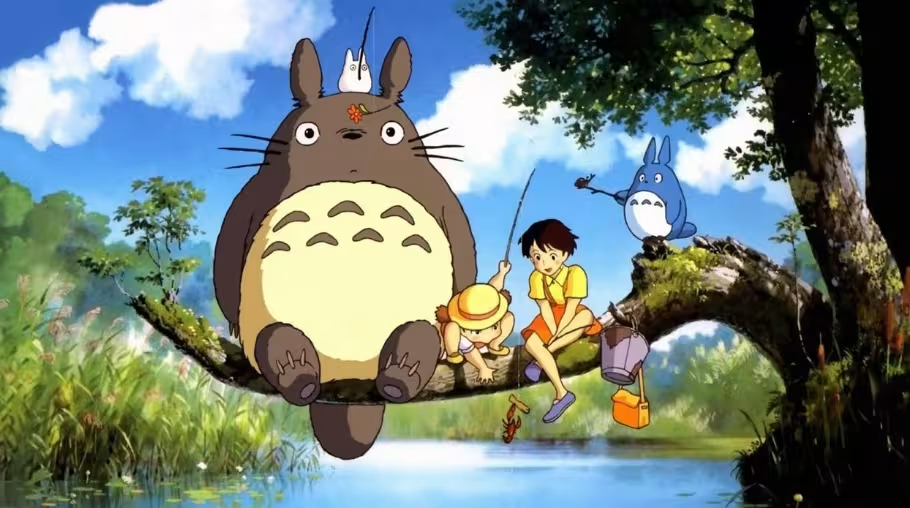
What Makes Ghibli Style So Unique
Before diving into tools, it’s important to understand what defines the Ghibli aesthetic. This helps you generate better results with AI tools. Ghibli-inspired visuals are more than just anime—they carry emotion, atmosphere, and storytelling depth.
Key Characteristics of Ghibli Style
- Soft, pastel-like color tones
- Detailed natural environments (forests, skies, water)
- Warm lighting and cinematic shadows
- Expressive characters with subtle emotions
- Dreamlike and nostalgic atmosphere
When using AI tools, your prompts and references should align with these elements to get closer to authentic results.
How AI Generates Ghibli Inspired Images
AI image generators work by training on massive datasets of art styles, textures, and compositions. When you input a prompt, the AI interprets your request and generates an image based on patterns it has learned.
How It Works in Practice
- You enter a prompt describing your scene
- AI analyzes style keywords like “Ghibli-inspired” or “anime landscape”
- It generates an image using learned visual patterns
- You refine results with edits or re-prompts
The quality of your output depends heavily on how detailed your input is.
What to Look for in a Ghibli AI Image Generator
Not all AI tools deliver the same quality. Some are better suited for anime-style art, while others focus on realism or general design.
Important Features to Consider
- Style accuracy and artistic detail
- Ability to control lighting and colors
- Prompt flexibility
- Image resolution and clarity
- Ease of use for beginners
Choosing the right tool can significantly improve your results.
Top AI Tools for Ghibli Inspired Image
There are several AI tools available today that can help you create stunning Ghibli-style visuals. Each tool has its own strengths depending on your needs.
1. Smartli
Smartli is an all-in-one AI content platform designed to simplify both visual and written content creation. While it is widely recognized for generating product descriptions, blogs, and marketing content, it also offers powerful AI image generation capabilities.
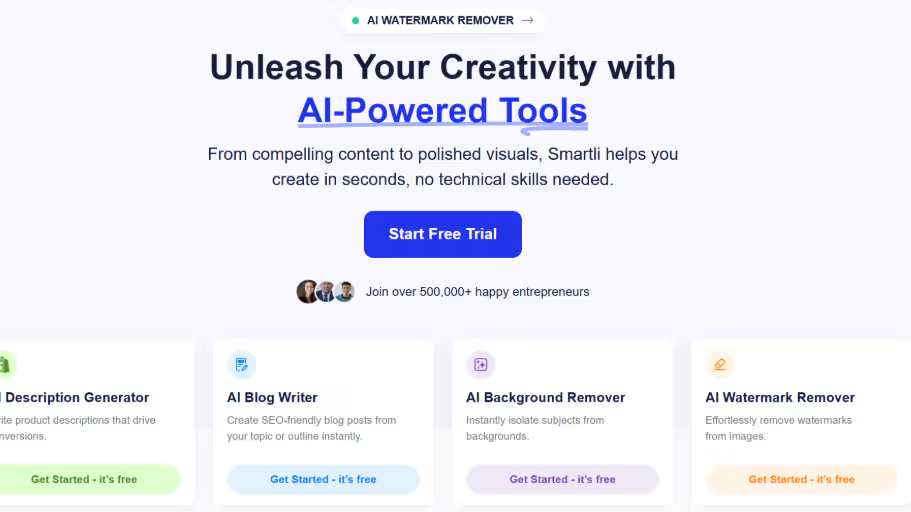
For Ghibli-inspired images, Smartli stands out because it combines ease of use with creative flexibility. Instead of relying on complex setups, users can generate artistic visuals with simple prompts.
Why Smartli Works Well for Ghibli Style
- AI-powered image generation with creative flexibility
- Beginner-friendly interface for quick results
- Supports detailed prompts for better style control
- Part of a larger ecosystem for content and design
- Ideal for marketers, creators, and ecommerce brands
Smartli is especially useful if you want to combine visual creation with content production in one place. This makes it a strong choice for those managing social media, branding, or creative campaigns.
2. AI Art Generators Focused on Anime Styles
The specialized training of these generators allows for consistent line work, color palettes, and artistic faithfulness, making them highly effective for replicating the hand-drawn Ghibli look.
Midjourney
Midjourney is one of the most popular tools for creating high-quality, artistic images. It excels at capturing the textures and lighting found in Ghibli films. By using specific parameters, you can fine-tune the output to match the Studio Ghibli aesthetic perfectly.
Example Prompt: “A cozy interior of a wooden cottage, sunlight streaming through a window, cluttered with magical artifacts, soft color palette, Studio Ghibli style, high detail, 8k --ar 16:9”
Adobe Firefly
Adobe Firefly offers a user-friendly way to generate and edit images directly within the Adobe ecosystem. Its "Generative Fill" and style reference features allow you to maintain consistency when creating multiple Ghibli-inspired assets.
Example Prompt: “Floating islands in a bright blue sky, white fluffy clouds, lush green grass, cinematic lighting, anime art style inspired by Princess Mononoke, pastel colors.”
Some AI tools are specifically optimized for anime and stylized artwork. These tools often produce better results when trying to replicate Ghibli-like aesthetics.
What Makes Them Effective
- Strong understanding of anime features
- Better color blending and lighting
3. General AI Image Generators
General AI image generators offer flexible tools that can create Ghibli-inspired visuals alongside a wide range of other artistic styles, making them ideal for experimentation and diverse creative projects.
Stable Diffusion
Stable Diffusion is an open-source tool that provides unparalleled control. By using LoRA (Low-Rank Adaptation) models specifically trained on Ghibli datasets, professional designers can achieve nearly authentic replicas of the hand-drawn Ghibli look.
Example Prompt: “A young girl standing in a field of sunflowers, wind blowing through her hair, watercolor textures, soft shadows, Ghibli background art style, masterpiece.”
These tools are more versatile and can generate a wide range of styles, including Ghibli-inspired visuals.
When to Use Them
- When you want flexibility across styles
- For mixed media projects
- For experimenting with different artistic outputs
4. Mobile-Friendly AI Image Tools
For creators who prefer working on their phones, mobile-friendly tools make it easy to generate images on the go. Popular mobile-friendly AI image tools include Canva AI, Adobe Firefly, Microsoft Designer, Picsart AI, Photoroom, Fotor AI, and ImagineArt. Adobe also has a Firefly mobile app for iPhone and Android, designed for text-to-image generation and AI-powered edits
Benefits
- Quick generation
- Easy sharing to social media
- Convenient for content creators
5. Advanced Tools for Professional Designers
Some AI tools offer advanced controls for professionals who want precise outputs. Popular advanced AI image tools include Adobe Firefly, Midjourney, Stable Diffusion, Leonardo AI, Ideogram, Flux, Freepik AI, and Krea AI. Adobe Firefly is often used by creative professionals because it connects well with Adobe workflows, while Stable Diffusion gives advanced users more control through models, prompts, and custom settings.
Features You’ll Get
- Fine-tuned prompt control
- Layer-based editing
- High-resolution outputs
These tools are ideal for designers who want more control over every detail.
How to Create Ghibli Inspired Images Using AI
Creating Ghibli-inspired images using AI involves more than just entering a prompt—it requires understanding the nuances of lighting, color, mood, and composition that define the style. By combining the right prompts with thoughtful adjustments and iteration, you can guide AI tools to generate visuals that capture the soft, cinematic, and emotionally rich essence of Ghibli art.
1. Writing Better Prompts for Ghibli Style
Your prompt plays a huge role in the final output.
Example Prompt Structure
- Scene description
- Lighting details
- Color palette
- Mood or emotion
- Style reference
Example
“A peaceful countryside village with soft sunlight, lush greenery, warm tones, and a dreamy Ghibli-inspired aesthetic.”
2. Adjusting Colors and Lighting
Ghibli visuals rely heavily on mood and lighting.
Tips
- Use warm tones for nostalgic scenes
- Add soft shadows for depth
- Avoid overly harsh contrasts
3. Refining and Iterating
AI rarely gets it perfect on the first try.
What to Do
- Generate multiple versions
- Adjust prompts slightly
- Focus on one improvement at a time
Common Mistakes to Avoid
Even with powerful AI tools, the quality of your Ghibli-inspired images depends heavily on how you use them. Many users struggle not because of the tool itself, but because of avoidable mistakes in prompting, styling, and iteration. Understanding these pitfalls can significantly improve your results.
Using Vague Prompts
One of the most common issues is using prompts that are too generic. When you enter something like “Ghibli style image,” the AI doesn’t have enough context to generate a detailed or emotionally rich output.
Instead, think of your prompt as a creative brief. Describe the scene, environment, lighting, and mood. For example, mentioning “a quiet village at sunset with warm tones and soft lighting” gives the AI much more direction. The more specific and intentional your prompt, the closer your output will be to the Ghibli aesthetic.
Ignoring Lighting and Mood
Ghibli-style visuals are deeply rooted in atmosphere. The magic often comes from soft sunlight, glowing skies, gentle shadows, and emotional tone rather than just character design.
If you ignore lighting and mood, your image may look flat or generic. Adding elements like “golden hour lighting,” “misty morning,” or “dreamy ambiance” can dramatically elevate the result. These subtle details help recreate the cinematic feel that defines Ghibli art.
Overcomplicating Prompts
While detail is important, too much information can confuse the AI. Overloading your prompt with multiple styles, objects, and instructions often leads to inconsistent or cluttered outputs.
A better approach is to focus on one clear idea and refine it gradually. Start simple, generate an image, and then tweak specific aspects like lighting or composition. This step-by-step refinement produces cleaner and more controlled results.
Not Experimenting Enough
AI image generation is rarely perfect on the first try. Many users stop after one or two attempts, missing out on better variations.
Experimentation is key. Try different prompt variations, adjust keywords, and explore multiple outputs. Even small changes in wording can lead to noticeably different results. Treat the process as creative exploration rather than a one-time task.
Best Use Cases for Ghibli Inspired AI Images
Ghibli-inspired visuals are not just aesthetically pleasing—they are highly versatile and can be used across different creative and commercial applications. Their emotional depth and unique style make them stand out in a crowded digital space.
Social Media Content
Ghibli-style images naturally grab attention because they feel warm, nostalgic, and visually distinct. On platforms where users scroll quickly, these visuals can stop the scroll and increase engagement.
They work particularly well for storytelling posts, aesthetic feeds, and themed content where mood and emotion play a central role.
Branding and Marketing
Brands are increasingly moving towards emotional storytelling, and Ghibli-inspired visuals fit perfectly into this approach. They add a human touch to campaigns, making them feel less corporate and more relatable.
These visuals can be used in ads, banners, and promotional materials to create a softer, more engaging brand identity that resonates with audiences.
Storytelling and Content Creation
Whether you’re writing a blog, creating a video, or building a narrative-driven campaign, Ghibli-style images can enhance storytelling. They help visualize scenes, set the tone, and make content more immersive.
For creators, this style is especially useful when building fictional worlds, emotional narratives, or visually rich content experiences.
Ecommerce Visuals
In ecommerce, standing out visually is crucial. Ghibli-inspired images can add personality and uniqueness to product presentations, especially for lifestyle, handmade, or artistic products.
Instead of standard product images, incorporating stylized visuals can make your brand more memorable and appealing, particularly for younger, design-conscious audiences.
Future of AI in Artistic Styles
AI-generated art is evolving rapidly. What started as simple image generation has now become a powerful creative tool.
We can expect:
- More accurate style replication
- Higher resolution outputs
- Better customization options
- Integration with other creative tools
This means creating Ghibli-inspired images will only get easier and more refined over time.
Final Thoughts
Creating Ghibli-inspired images is no longer limited to professional illustrators. With the rise of AI tools, anyone can generate beautiful, emotional visuals with just a few prompts.
The key lies in choosing the right tool and understanding how to guide the AI effectively. From beginner-friendly platforms to advanced design tools, there’s something for everyone.
If you're looking for a simple yet powerful solution, Smartli offers a balanced approach by combining image generation with broader content creation capabilities. This makes it especially useful for creators who want to streamline their workflow without compromising on creativity.
In the end, the magic of Ghibli-style art comes from emotion, atmosphere, and storytelling—and with the right approach, AI can help you bring that magic to life.
FAQs about AI Tools for Ghibli Inspired Image
What are the best AI tools for creating Ghibli inspired images?
The best AI tools for Ghibli inspired images are those that support detailed prompts, soft lighting control, and stylized outputs. Tools with strong image generation models can replicate anime aesthetics effectively. Platforms like Smartli make it easier by combining image generation with content workflows, making them ideal for creators and marketers.
How can I create Ghibli style images using AI?
You can create Ghibli-style images by using AI image generators and writing detailed prompts that include scene, lighting, and mood. Focus on soft colors, natural environments, and emotional tone. Iterating your prompts and refining outputs helps achieve more accurate and visually appealing results.
Are Ghibli inspired AI images free to create?
Many AI tools offer free plans or limited credits to generate Ghibli-inspired images. However, advanced features like high resolution or faster processing may require paid upgrades. Free options are still sufficient for experimenting and creating basic visuals.
What prompts work best for Ghibli style AI art?
The best prompts include descriptive elements like environment, lighting, mood, and color palette. For example, mentioning “soft sunlight,” “lush greenery,” or “dreamy atmosphere” improves results. Avoid vague prompts and focus on creating a clear visual scene.
Can I use Ghibli inspired AI images for commercial purposes?
You can use AI-generated images commercially depending on the tool’s licensing terms. However, you should avoid directly copying copyrighted characters or designs. It’s best to create original visuals inspired by the style rather than replicating specific works.


%201.svg)


.avif)

.avif)

