


Creating characters has always been a core part of storytelling, branding, and design. Whether it's a game protagonist, a brand mascot, or a social media avatar, characters help audiences connect emotionally with content.
In the past, building these characters required artistic skills, expensive software, and a lot of time. Today, AI has changed that completely. With AI character generators, you can create highly detailed and visually appealing characters in minutes—without any design experience.
From realistic human portraits to anime-style avatars and fantasy characters, AI tools offer endless creative possibilities. In this guide, we’ll explore the best AI character generators, how they work, what features to look for, and how to get the best results for your projects.
What Are AI Character Generators
AI character generators are tools that use artificial intelligence to create digital characters based on text prompts, reference images, or predefined inputs. These tools rely on machine learning models trained on vast datasets of faces, art styles, and visual elements.
The goal is simple: turn your ideas into visual characters quickly and efficiently.
What You Can Create With AI Character Generators
These tools are highly versatile and can be used across multiple creative domains:
- Realistic human faces for profiles or marketing
- Anime and stylized characters for creative projects
- Game avatars and NPC designs
- Fantasy or sci-fi characters
- Cartoon mascots for branding
- Social media profile images
Because of this flexibility, AI character generators are being adopted across industries—from content creation to ecommerce and gaming.
Why AI Character Generators Are Becoming So Popular
The rise of AI character generators is directly tied to the growing demand for unique visual content. Businesses, creators, and developers all need unique visuals, and AI makes it possible to generate them quickly. The main factors driving this popularity are:
- Accessibility: You no longer need advanced design skills to create something visually appealing; anyone can generate professional-looking characters with just a simple prompt.
- Speed: What used to take hours or even days can now be done in seconds, which is especially useful for teams working under tight deadlines or managing large volumes of content.
- Experimentation: AI tools encourage users to explore multiple styles, ideas, and variations without extra effort, opening up new creative possibilities that weren’t easily accessible before.
How AI Character Generators Work
To get the best results from AI tools, it helps to understand how they actually work behind the scenes.
Most AI character generators use deep learning models trained on large image datasets. These models learn patterns such as facial features, lighting, textures, and artistic styles.
The Core Process
When you enter a prompt, the AI follows a structured process:
- It interprets your text input and converts it into visual instructions
- It applies learned styles such as realism, anime, or illustration
- It generates an image by combining patterns from its training data
- It refines the output based on composition and lighting
The final result is a unique character that matches your input.
What to Look for in the Best AI Character Generator
Not all AI tools are built the same. Some focus on realism, while others specialize in stylized or creative outputs. Choosing the right tool depends on your goals.
Key Features That Matter
When evaluating AI character generators, keep these factors in mind:
- Image Quality – High resolution and clear details are essential
- Style Flexibility – Ability to create different types of characters
- Prompt Control – More control leads to better customization
- Ease of Use – A simple interface helps beginners get started quickly
- Speed – Faster generation improves workflow efficiency
- Consistency – Ability to maintain similar styles across outputs
A good tool should strike a balance between quality and usability.
Top 7 Best AI Character Generators
AI character generators can help you create everything from realistic portraits to anime avatars, brand mascots, fantasy heroes, and game-ready concepts. The best tool depends on your goal, whether you need quick profile images, detailed storytelling characters, or visuals for marketing campaigns.
1. Smartli
Smartli is a great option for creators and businesses that want character generation as part of a larger content workflow. Instead of only focusing on visuals, Smartli helps users create AI-generated images, written content, marketing copy, product descriptions, and other creative assets in one place.
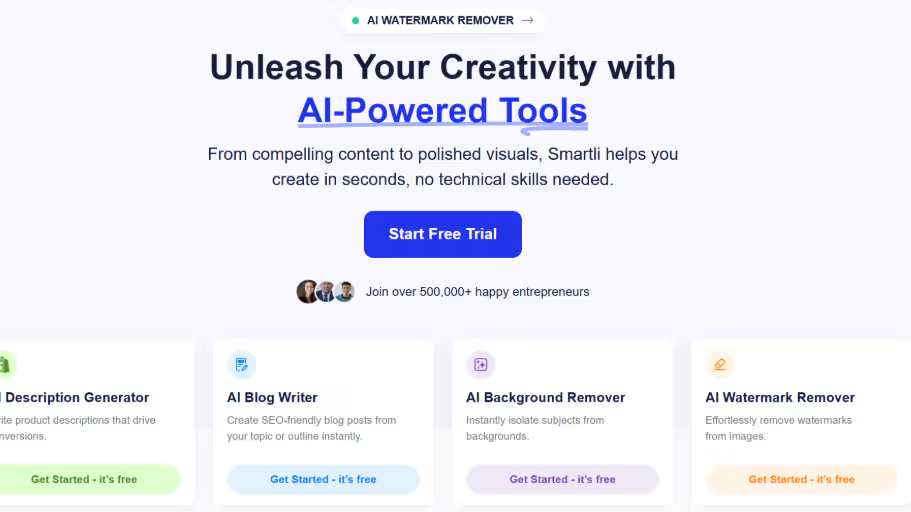
This makes it especially useful for ecommerce brands, marketers, and content creators who need both character visuals and supporting content for campaigns.
Key features include:
- AI-powered image and character generation
- Simple prompt-based workflow
- Useful for brand mascots and storytelling visuals
- Supports broader content creation needs
- Beginner-friendly interface
Smartli works best for users who want to create characters and then build full content around them, such as captions, ads, blogs, and product stories.
2. Canva AI Character Generator
Canva is ideal for beginners who want to create AI characters and use them directly in designs. Since it already includes templates for social media posts, presentations, posters, and branding assets, users can generate a character and immediately place it into a ready-made design.
It is especially helpful for non-designers who want professional-looking visuals without learning complex software.
Key features include:
- Easy drag-and-drop design interface
- AI character generation inside a design platform
- Ready-to-use templates
- Good for social media and marketing visuals
- Simple editing and export options
Canva is best for small businesses, creators, and marketers who need quick character-based designs for everyday content.
3. Leonardo AI
Leonardo AI is a powerful option for users who want highly detailed and artistic characters. It is especially popular for fantasy art, game characters, anime-inspired visuals, and concept designs.
Compared to simpler tools, Leonardo AI gives users more creative control. You can experiment with style, lighting, background, costume, and character mood to create a more polished final result.
Key features include:
- Strong concept art generation
- Detailed fantasy and game-style characters
- Good control over prompts and styles
- High-quality artistic outputs
- Useful for world-building and storytelling
Leonardo AI works best for game developers, illustrators, writers, and creators who need visually rich characters with strong artistic direction.
4. Fotor
Fotor is a beginner-friendly AI character generator that works well for quick avatars, portraits, and stylized characters. It combines AI generation with basic editing tools, making it easy to adjust and polish images after they are created.
It is a good choice for users who want simple, fast results without too many advanced settings.
Key features include:
- Quick AI character and avatar creation
- Simple editing tools
- Beginner-friendly interface
- Supports realistic and stylized outputs
- Useful for profile images and social content
Fotor is best for users who need easy character visuals for social media, personal branding, or light creative projects.
5. OpenArt
OpenArt is a flexible AI image generation tool that gives creators room to experiment with different character styles. It is useful for generating realistic, anime, fantasy, cartoon, or cinematic characters depending on the prompt.
The strength of OpenArt is its creative flexibility. Users can test multiple prompts, explore different aesthetics, and refine character ideas through variations.
Key features include:
- Wide range of artistic styles
- Good prompt flexibility
- Useful for character variations
- Supports both realistic and stylized images
- Great for creative experimentation
OpenArt is best for artists, storytellers, and creators who want to explore multiple character directions before finalizing a design.
6. ImagineArt
ImagineArt is useful for creating characters for stories, games, comics, and fantasy worlds. It allows users to generate characters with different appearances, styles, outfits, and moods, making it suitable for creative storytelling.
It works well when you already have a character idea in mind and want to visualize it quickly.
Key features include:
- Supports anime, cartoon, fantasy, and realistic styles
- Good for fictional character concepts
- Prompt-based customization
- Useful for book covers and story visuals
- Helps create mood-specific characters
ImagineArt is best for writers, comic creators, game designers, and anyone building character-driven visual content.
7. Perchance AI Image Generator
Perchance is a simple and free AI image generator that works well for quick character experiments. It is not as advanced as professional design tools, but it is useful for brainstorming and testing ideas.
If you want to create multiple rough character concepts quickly, Perchance can help you explore different looks before refining the best ones elsewhere.
Key features include:
- Free and easy to use
- Good for quick character ideas
- Supports anime, cartoon, and original character concepts
- Useful for prompt testing
- No complex setup required
Perchance is best for beginners, hobbyists, and creators who want fast character concepts without needing advanced controls.
How to Create Better AI Characters
Using an AI tool is just the starting point. The real difference comes from how you guide the tool.
1. Writing Effective Prompts
Prompts are the foundation of AI character generation. A well-written prompt can significantly improve the final output.
Tips for Better Prompts
- Be specific about appearance (age, gender, clothing)
- Include details about mood and expression
- Mention lighting and environment
- Keep instructions clear and focused
Example Prompt
“A confident young woman with short hair, wearing modern casual clothing, soft natural lighting, and a cinematic background”
This level of detail helps the AI generate more accurate and appealing results.
2. Choosing the Right Style
Different projects require different visual styles. Selecting the right style ensures your character aligns with your goals.
Style Considerations
- Use realistic styles for professional content
- Choose anime or stylized designs for creative projects
- Use cartoon styles for branding and mascots
Matching style to purpose improves effectiveness.
3. Iterating and Refining Results
AI-generated images often need refinement. Rarely does the first result meet all expectations.
How to Improve Results
- Generate multiple variations
- Adjust one element at a time
- Focus on improving specific details
Iteration is key to achieving high-quality outputs.
Common Mistakes to Avoid
Even with powerful tools, certain mistakes can reduce the quality of your characters.
- Using Generic Prompts: Generic prompts lead to generic results. Without clear direction, the AI produces average outputs.
- Ignoring Lighting and Details: Lighting plays a major role in realism. Ignoring it can make characters look flat or unnatural.
- Overcomplicating Prompts: Adding too many instructions can confuse the AI and lead to inconsistent outputs.
- Not Experimenting Enough: Many users stop after one attempt. Trying different prompts often leads to better results.
Best Use Cases for AI Character Generators
AI-generated characters are not just visually appealing—they serve real-world purposes across industries.
- Social Media Content: Unique characters help creators stand out in crowded feeds. They make content more engaging and memorable.
- Branding and Mascots: Businesses use characters to create strong brand identities. A well-designed mascot can make a brand more relatable.
- Game Development: Game developers use AI tools to quickly generate character concepts during early stages.
- Storytelling and Content Creation: Writers and creators use AI characters to visualize their ideas and enhance storytelling.
- Marketing Campaigns: Characters add personality to campaigns, making them more engaging and effective.
Future of AI Character Generators
AI technology is evolving rapidly, and character generation is becoming more advanced. In the near future, we can expect:
- More realistic and detailed outputs
- Better customization options
- Faster generation speeds
- Integration with animation and video tools
This will make AI character creation even more powerful and accessible.
Final Thoughts
AI character generators have transformed the way we create visual content. They remove technical barriers and allow anyone to bring ideas to life quickly.
The key to success lies in choosing the right tool and learning how to guide it effectively. With the right prompts and approach, you can create characters that are not only visually appealing but also meaningful and impactful.
If you’re looking for a solution that combines both content and visual creation, Smartli offers a practical advantage. By bringing everything into one platform, it helps streamline workflows and maintain consistency across projects. As AI continues to evolve, character creation will only become easier, faster, and more creative—opening up endless possibilities for creators and businesses alike.
FAQs about Best AI Character Generators
What is the best AI character generator for beginners?
The best AI character generator for beginners is one that offers a simple interface and prompt-based creation. Tools like Smartli and Canva make it easy to generate characters without design skills. They guide users through the process and deliver quick, clean results. This makes them ideal for first-time users.
Can AI character generators create realistic human faces?
Yes, many AI character generators are capable of creating highly realistic human faces. These tools use advanced models to replicate facial features, lighting, and textures accurately. The results can look almost like real photographs. They are often used for profiles, marketing visuals, and presentations.
Are AI-generated characters free to use?
Many AI tools offer free plans or credits for generating characters. However, advanced features like high-resolution downloads or commercial usage may require a paid plan. It’s important to check the licensing terms before using characters for business purposes. Free versions are still great for testing and basic use.
How do I create better characters using AI tools?
To create better AI characters, focus on writing detailed prompts that include appearance, style, mood, and lighting. Avoid vague descriptions and refine your prompts step by step. Generating multiple variations also helps improve results. Practice and experimentation are key to achieving high-quality outputs.
Can I use AI-generated characters for commercial projects?
Yes, you can use AI-generated characters for commercial purposes depending on the tool’s usage rights. Most platforms allow commercial use, but it’s important to review their terms carefully. Avoid copying copyrighted characters or designs. Creating original visuals inspired by ideas is always the safest approach.


%201.svg)


.avif)

.avif)

